LEADWISE PRODUCT
Manage customers, track deals, and plan your next follow-up.
LeadWise brings your customer records, sales pipeline, tasks, and AI suggestions into one CRM. Your team can see who owns each deal, what has happened, and what needs attention next.
Invitation-only · 30-day trial after activation · Up to 10 users
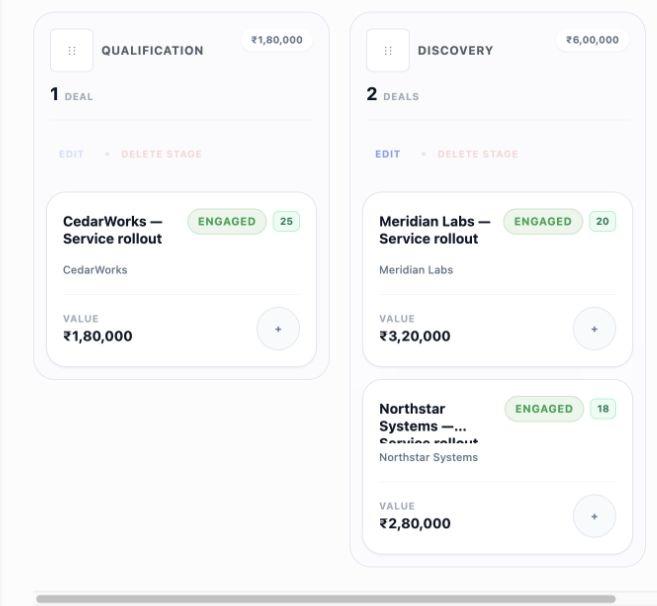
SALES OVERVIEW
See your pipeline and today’s follow-ups.
Check pipeline value, deal health, and deals that need attention. Today’s Focus brings together follow-up tasks and AI suggestions waiting for review.
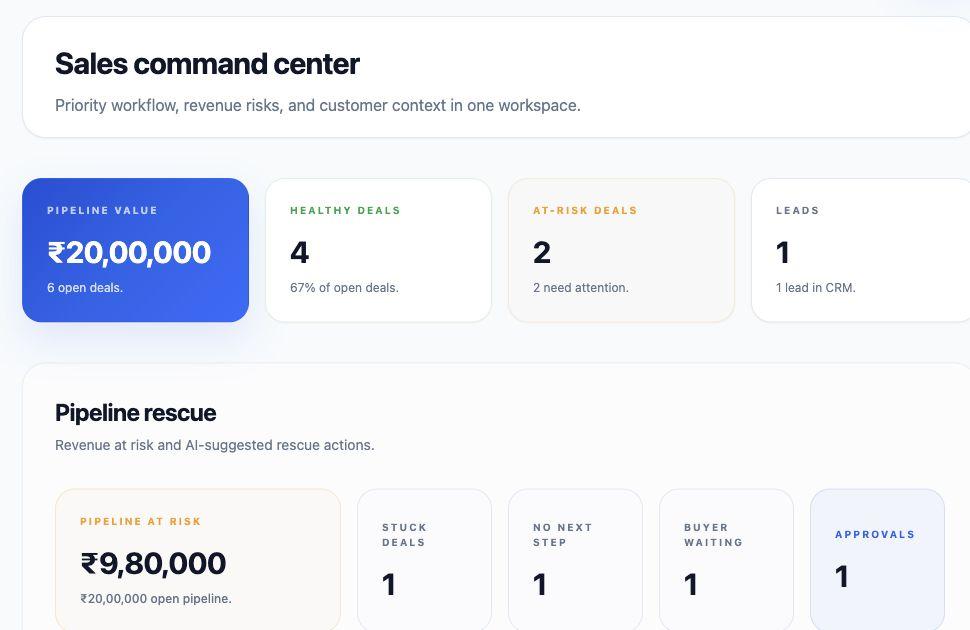
Operations dashboard
Track team pipeline value, healthy deals, at-risk opportunities, and deals needing immediate rescue.
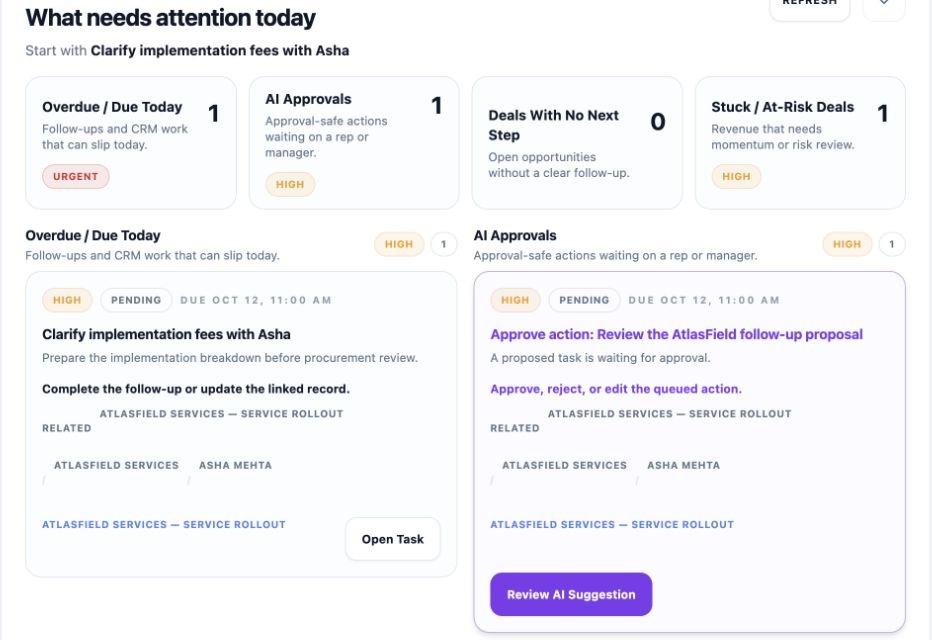
Today’s Focus priority board
Bring together overdue follow-ups, pending AI approvals, and high-priority deal actions into one daily view.
PRODUCT FEATURES
Tools for the work your sales team does every day.
Leads, companies, and contacts
- • Capture and convert leads
- • Manage companies and contacts
- • Record who is involved in a deal and their role
- • Keep deals, tasks, notes, and activity history linked
Deals and pipeline
- • Track stages, owners, and deal values
- • Review deal risks and the reasons behind them
- • See suggested next steps
- • Optional Deal Autopilot for limited changes enabled by an administrator
Notes and customer history
- • Keep notes and activities with the right records
- • Import customer email information through compatible AI assistants
- • Link companies, contacts, and deals
Email import uses an authorized assistant connection; it does not connect or sync your inbox.
Tasks and daily priorities
- • Review Today’s Focus
- • Create and manage follow-up tasks
- • Search across CRM records
Sales knowledge and AI
- • Save and publish product information, pricing, and sales guidance
- • Connect compatible AI assistants
- • Review suggestions in the AI Queue
- • See the reason and proposed changes before approving
Team access and data tools
- • Manage workspace member permissions
- • Add custom fields
- • Preview CSV or Excel imports and export permitted CRM data
- • Review data-quality issues
- • Use the existing Trash recovery feature
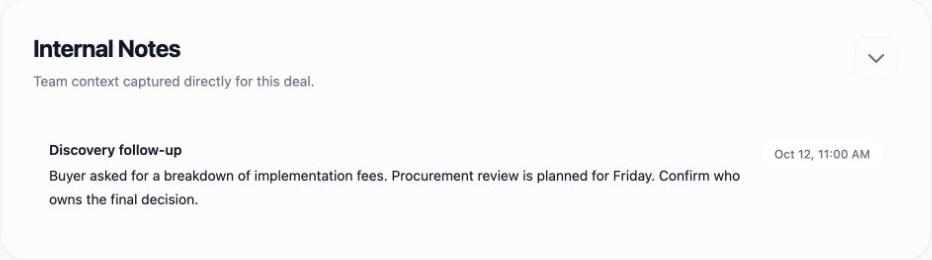
FOLLOW-UP WORKFLOW
A buyer has a pricing question. What happens next?
See how a saved deal note can lead to a suggested follow-up task.
COMPANY KNOWLEDGE
Give AI suggestions information about your business.
Save and publish your product details, pricing, FAQs, and sales guidance. LeadWise can use relevant information when analysing a deal or suggesting a next step.
Products and ideal customers
Record what you sell, who it is for, and why a customer might choose you.
Pricing and common questions
Keep your pricing guidance and answers to common buyer questions available to your team.
Information for AI analysis
Relevant published information can help AI suggestions reflect your business. Not every suggestion uses every document.
ACCESS AND AVAILABILITY
What is available today?
Your workspace permissions control access to CRM records. Review AI suggestions in the AI Queue. An administrator can also enable Deal Autopilot for a limited set of deal changes.
Availability note: Gmail and Google Calendar connections are currently unavailable. You can import customer email information through an authorized, compatible AI assistant, but this does not sync your inbox. Calendar import through AI assistants is unavailable in this release.
Try LeadWise with your sales team.
Request early access. If your workspace is approved, you can evaluate LeadWise during a 30-day trial starting at activation.